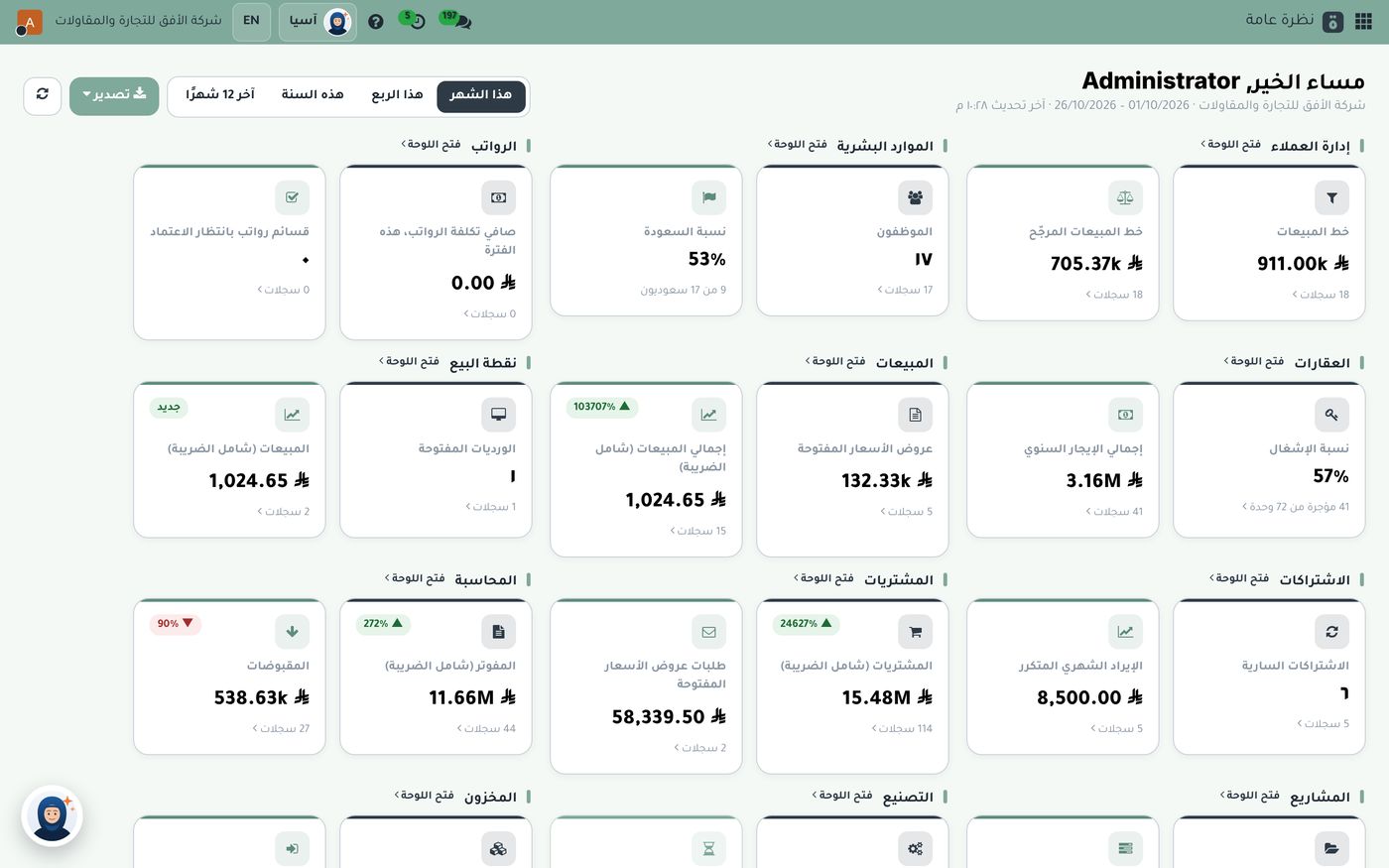
Many managers only see their company's financial figures once a month, when the accountant sends a report. By the time a problem with collections or expenses shows up, it's too late. The accounting dashboard in Subra is designed to change that habit: five minutes every morning is enough to know where the company stands financially, and what needs your attention today.
First: the top cards, the company in one line
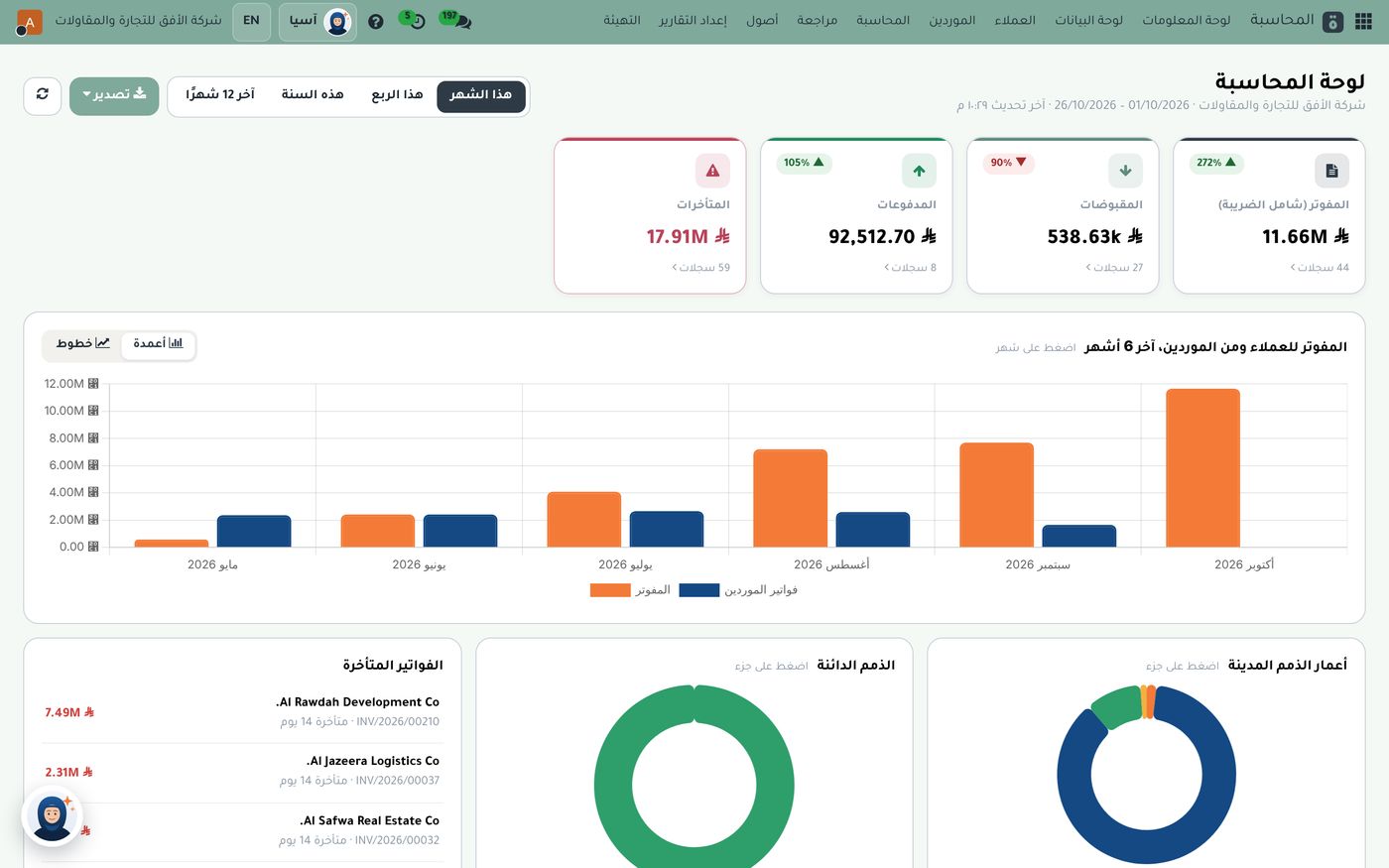
The first thing you see on the accounting dashboard is a row of small cards with the key figures for the period you choose at the top:
- Invoiced (incl. VAT): the total of all invoices issued to customers.
- Receipts: what has actually come in from customers.
- Payments: what you've paid to suppliers.
- Overdue: invoices past their due date that haven't been paid.
Under each card you'll see the change compared with the previous period, and the number of records behind the figure.
The gap between invoiced and received is the first number that deserves your attention. If invoicing keeps growing while receipts stay flat, sales are growing on paper only, and your cash isn't following.
Second: the chart, where the trend matters more than the number
The chart shows customer invoicing against supplier bills for the last six months. Don't read each bar on its own; ask instead:
- Is the gap between sales and purchases widening or narrowing?
- Is there an unusual month that needs explaining, such as a large stock purchase or a one-off contract?
- Has the overall trend been rising or falling for the past three months?
If a month needs explaining, click its bar to open that month's invoices, and check the largest ones before judging the trend. You can also switch the view from bars to lines, or export the dashboard.
Third: aged balances, where is your cash stuck?
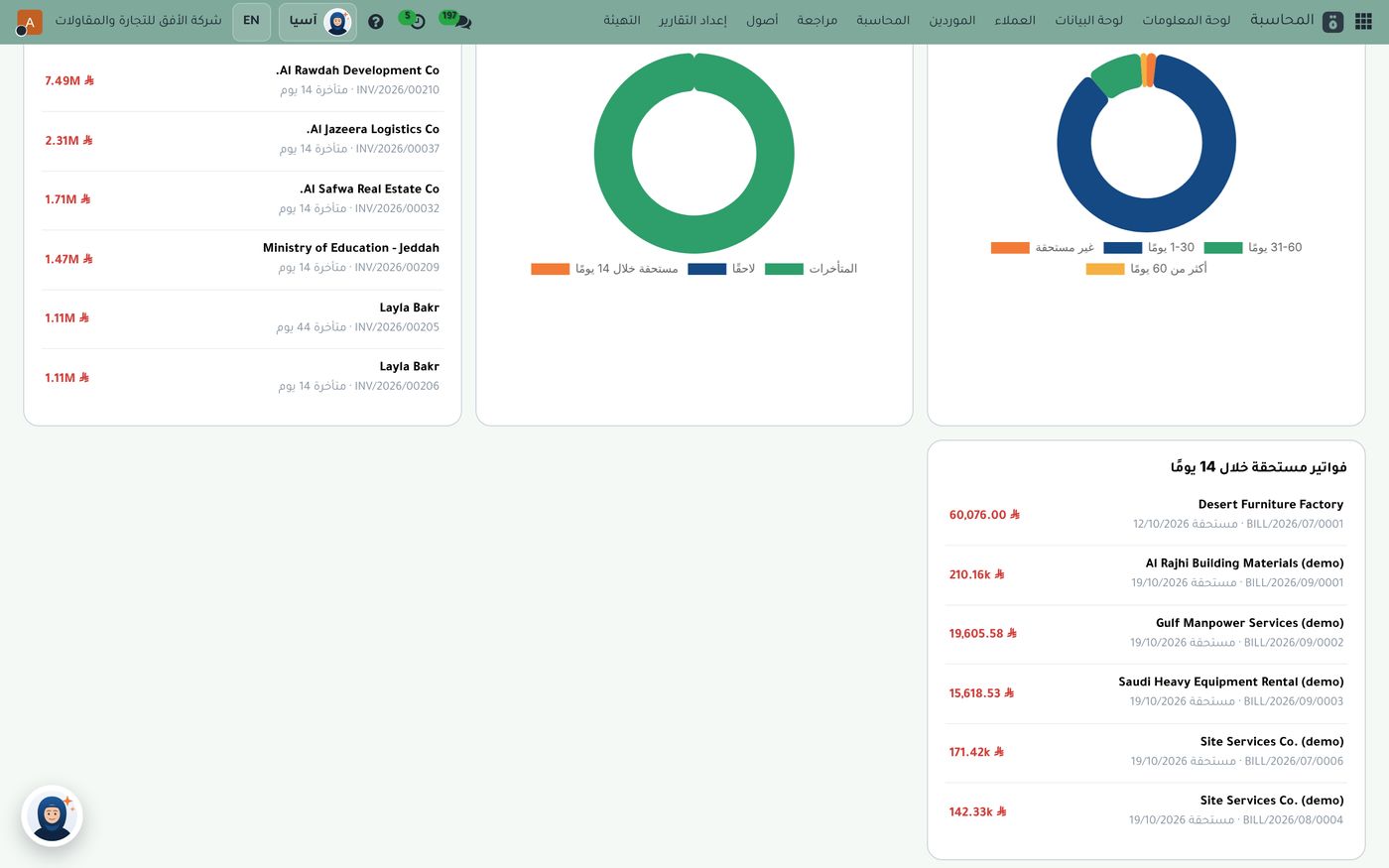
At the bottom of the dashboard are three cards: overdue invoices, with customer names, amounts and days overdue, plus aged receivables and aged payables in two donut charts. Click any segment to open the invoices behind it. Balances are grouped into not yet due, 1 to 30 days, 31 to 60 days, and more than 60 days.
A simple rule helps here:
- Recently overdue invoices just need a friendly reminder from the sales team.
- Invoices overdue for longer need a call from the finance lead and a written payment plan.
- Customers who are repeatedly late need a management decision: stop selling to them on credit, or lower their credit limit.
On the other side, the "Bills due in 14 days" card shows what you'll soon owe suppliers, so you can plan payments ahead instead of being caught off guard.
Fourth: from number to decision
A dashboard is only useful if it ends in a decision. Here are examples of what a manager does after reading it:
- Receipts are clearly below invoicing: a short meeting with sales to go through the list of late payers.
- Large supplier bills are due this week: postpone a non-urgent expense or arrange cash with the bank.
- One customer accounts for a large share of overdue amounts: personal follow-up from management.
Why are the numbers in Subra real-time?
Because in Subra, the accounting entry doesn't wait for the accountant. Every sales or purchase invoice, every payment and every stock movement posts its entry automatically the moment it's confirmed. And with bank reconciliation from your statement, the bank balance on the dashboard stays close to reality. So what you see in the morning is where the company stands now, not a month ago.
And if you want an answer even faster than the dashboard, with the Asia add-on, an AI assistant built for your company, you can ask her in Arabic, "Which customers are the most overdue?", and she answers with figures from your company's data, within your own permissions.
The bottom line
The accounting dashboard isn't just a report for the accountant; it's a daily tool for the manager. Five minutes is enough to read four numbers, one trend and a list of late payers, then take one clear decision. Explore Subra's dashboards, or read our article on the difference between accounting software and an ERP.
Try Dashboards in Subra
Try Subra with demo data, or contact us and we'll set up the system for you.