
Najeed in detail.
Every Najeed module, from the family file to the donor's impact report. Modules marked "Add-on" are turned on as your charity needs them.
Case management
One file per family, bringing together its details, documents and aid
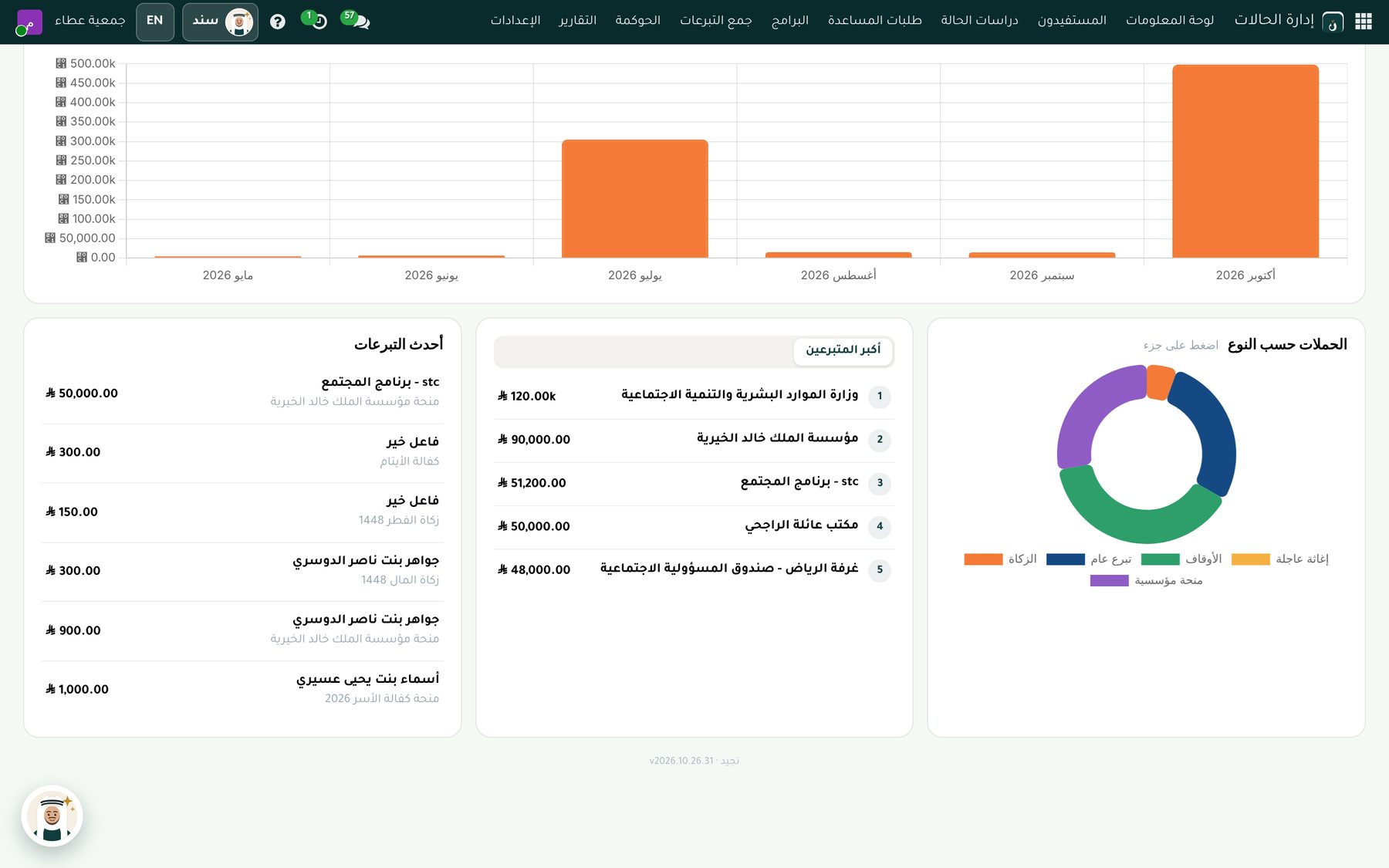
Family file
Family members, income, expenses and eligibility score.
Documents
ID, family register and proof of income, with expiry dates, verification and alerts for anything missing.
Social assessment
A visit, findings and a recommendation that go through an approval cycle and then determine the family's eligibility.
Duplicate aid prevention
Holds any repeat aid to the same family within the period the charity sets, until a supervisor reviews it.
Search by ID and mobile
Finds the family even through any member's ID, across all branches.
Aid history
Everything disbursed to the family from any campaign or program, with request and disbursement dates.
Donors and campaigns
A lasting relationship with every donor, and clear impact for every riyal
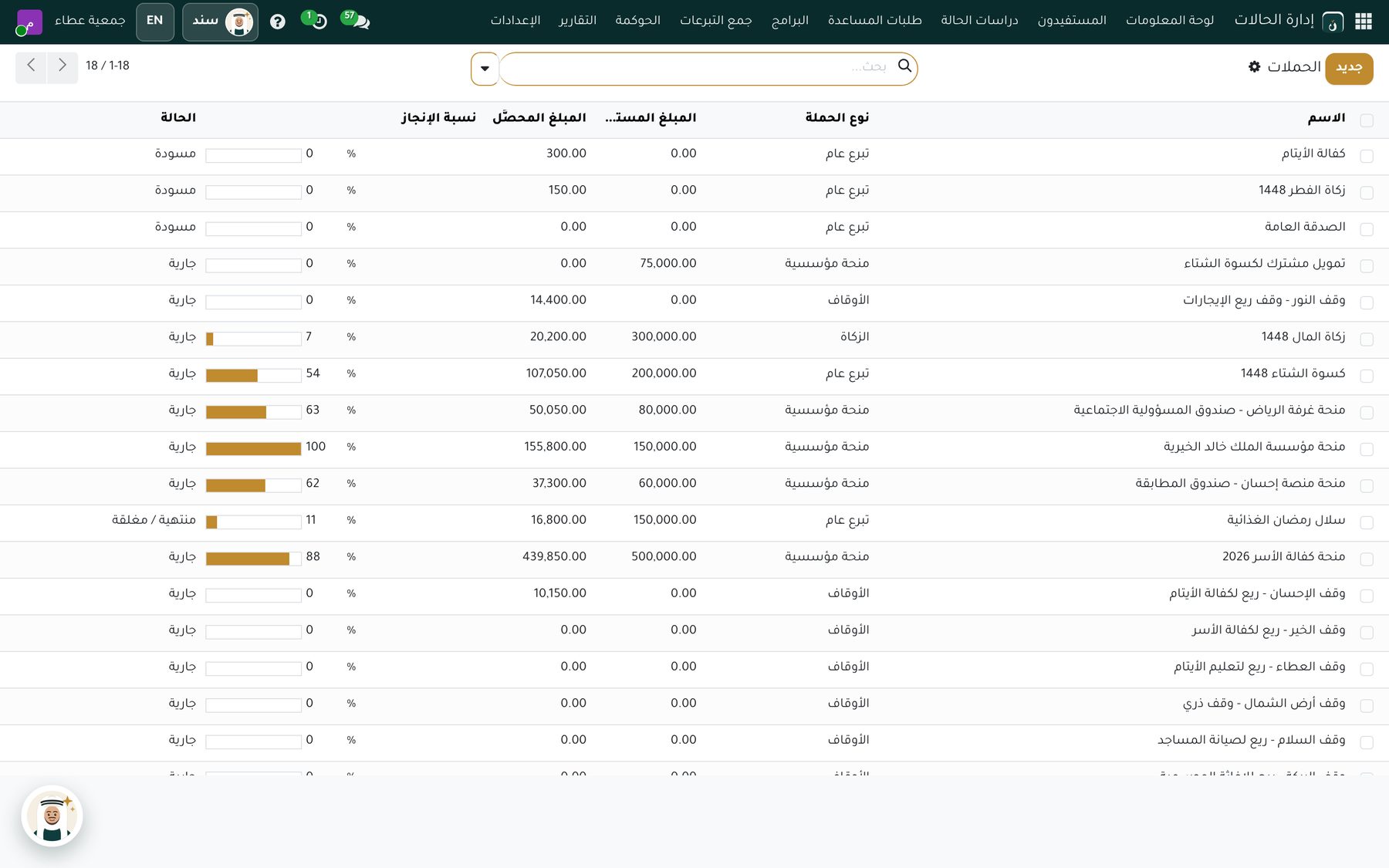
Donor profile
Their donations, receipts and communication in a single contact.
Causes supported
Orphan sponsorship, food baskets and mosque building, with suggested campaigns for each donor.
Recurring giving
Monthly, quarterly or yearly, with a reminder to the account owner before each date.
Impact report
What the donor gave, the families it reached and photos from the campaigns, sent to them by email.
Campaigns
Target, raised and spent for every campaign, with a cost center in accounting.
Grant opportunities
From first contact to grant approval, then it becomes a campaign automatically.
Certificates for donors
A certificate of appreciation for top donors in the charity's name, in Arabic and English.
Accounting and governance
Aligned with the unified chart of accounts of the National Center for Non-Profit Sector
The unified chart of accounts for civil associations with its numbers and names, ready from day one, with restricted and unrestricted net assets and endowments, and zakat in its own separate account.
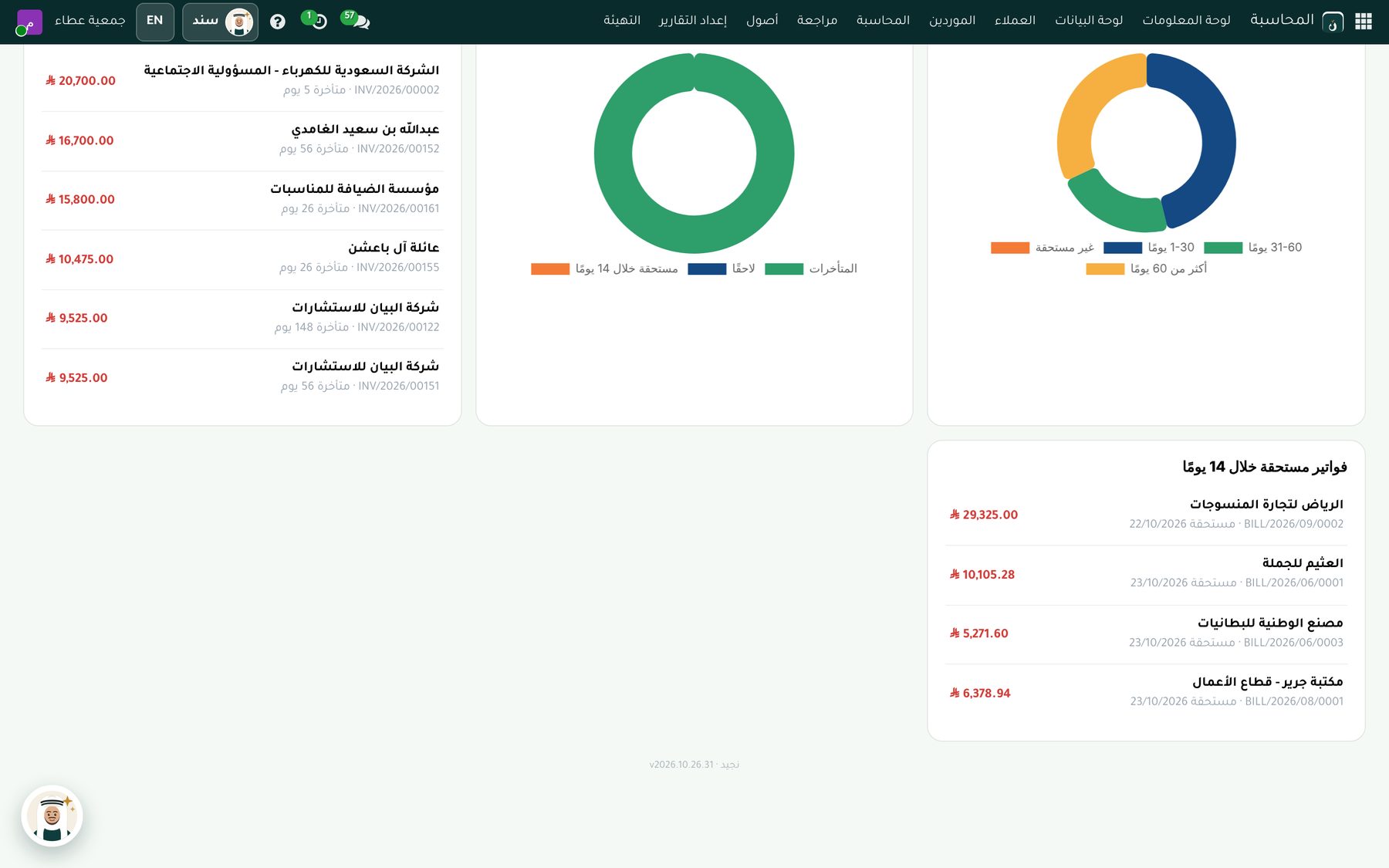
Aligned with the National Center
The unified chart of accounts for civil associations, with its numbers and names, ready from day one, and you can add your own accounts.
Net assets and zakat
Unrestricted and restricted net assets and endowments, with zakat kept in its own separate account.
VAT
Ready Saudi setup, with the tax invoice and the official riyal symbol.
Automatic entries
Every donation and disbursement posts its own entry, with bank reconciliation from the statement.
Budgets and cost centers
A budget and cost center for every program and campaign.
Fixed assets
An asset register with automatic depreciation.
Reading supplier invoices
Two ways to enter the charity's purchase invoices without typing them in.
Reading the invoice barcode
Upload the supplier invoice (PDF or image) and the system reads the ZATCA barcode:
- The supplier and their VAT number
- Date, total and VAT
- Creates a draft invoice ready for review
- Adds a new supplier with their VAT number automatically
Reading the full invoice (OCR)
Reads the full invoice with its lines from a PDF or image:
- Every line with quantities and prices
- In Arabic and English
- Several invoices at once
- Alerts you if the total doesn't match the sum of the lines
The invoice stays a draft for review before confirmation, and both options are turned on from the settings.
Dashboards and reports
Management decisions based on real-time numbers
Every user sees only what their permissions allow in dashboards and reports.
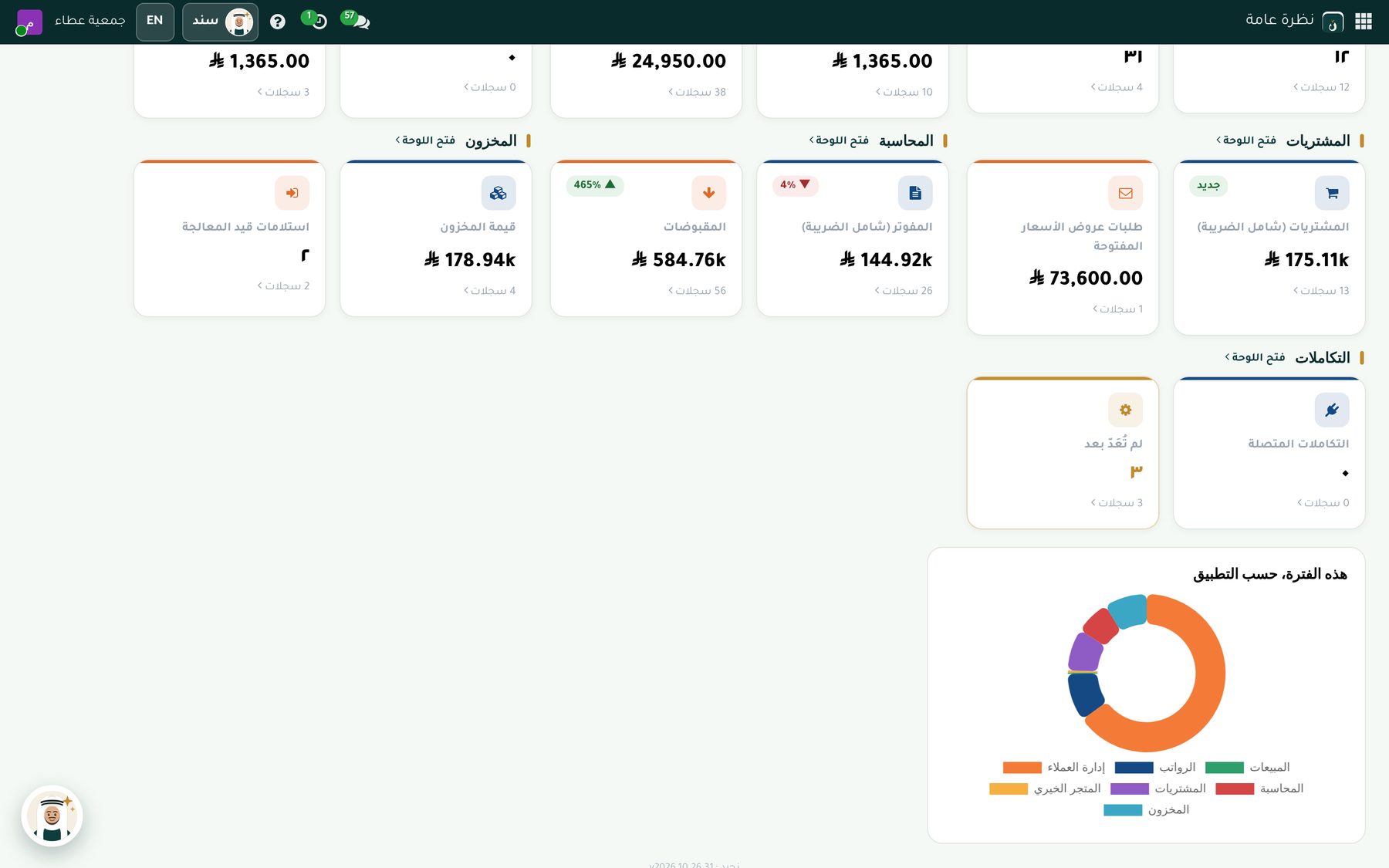
A dashboard for every department
Donations, aid, cases, campaigns and accounting on the first screen of each app.
Ready-made reports
Donations by donor and campaign, aid by beneficiary and type, and program performance.
Sanad, the AI assistant
Ask him in Arabic and he answers with numbers and links to the records, within the user's own permissions.
Charity store and website
A donations and products store on the charity's website
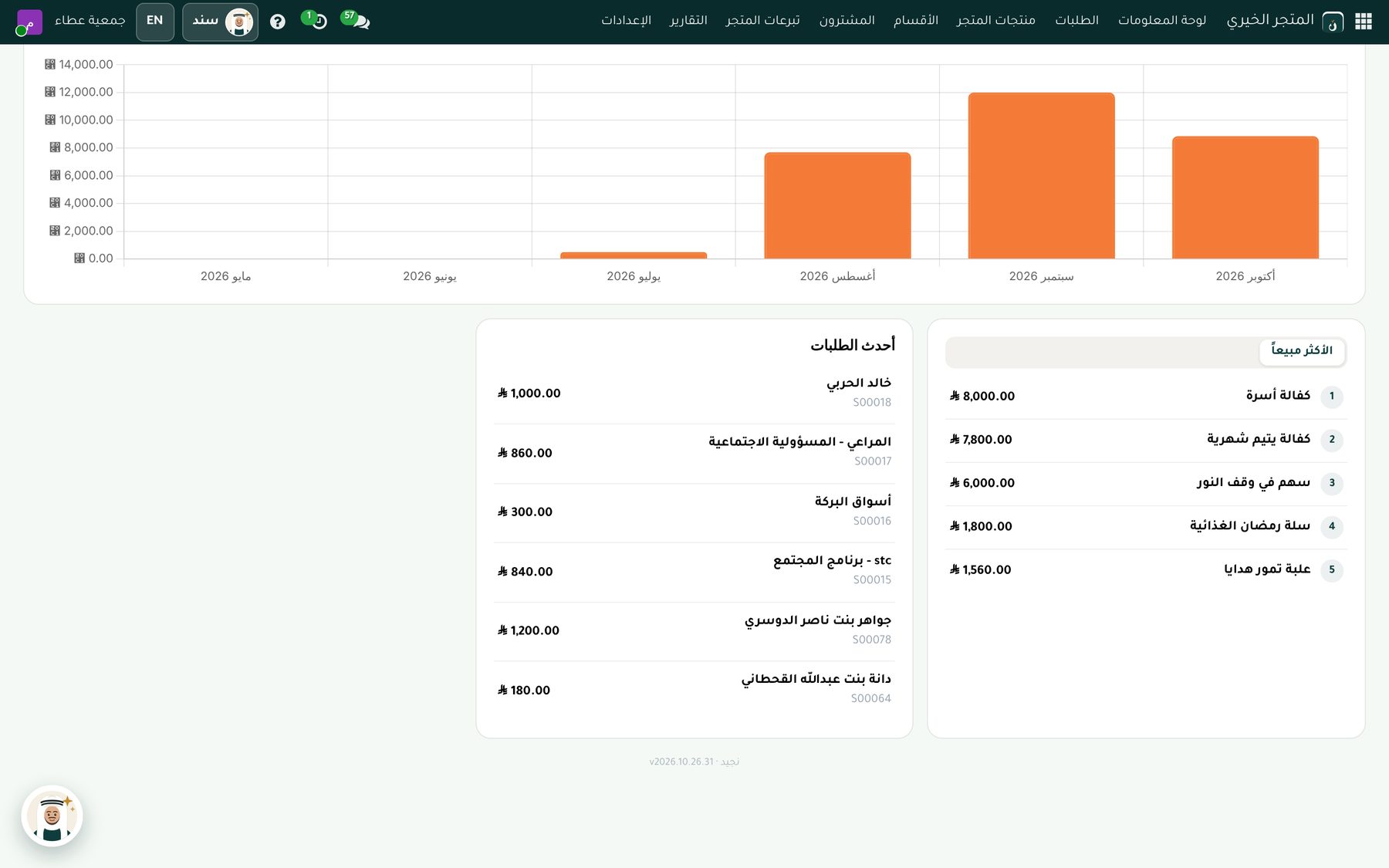
Donation products
A fixed amount, or an amount the donor chooses.
Monthly giving and gift donations
Recurring donations or giving in someone else's name, with an option to stay anonymous.
Productive families
Sell products made by families, with invoices and VAT.
Payment
Paymob, bank transfer and cash on delivery.
An easy-to-edit website
Drag-and-drop pages, optimized for search engines.
Every donation recorded
Every donation from the store is recorded automatically in donations and campaign reports.
Donation point
A donation cashier for the office, exhibitions and events
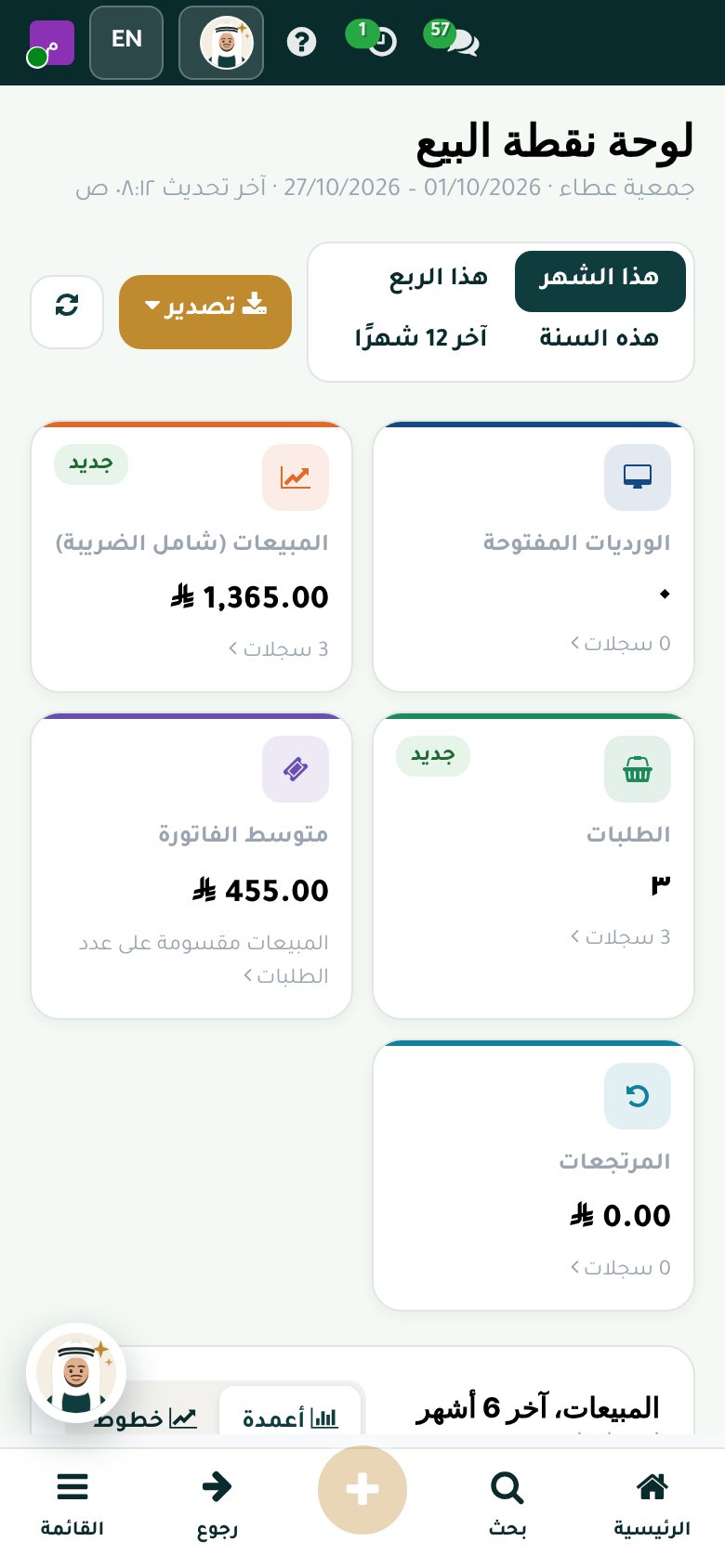
One-tap giving
Orphan sponsorship, a food basket or general charity, at a fixed amount or one the donor chooses.
Cash or card
With a donation receipt in the charity's name, and an anonymous donor option.
Every donation recorded
Every transaction is recorded as a donation to its campaign, in the donor's record and in the impact report.
Closing the shift
Each campaign's total, with its accounting entry.
Online attendance
Location-based check-in from the phone or browser, with no fingerprint devices
Location-based check-in
The location is required for every check-in and check-out, and is saved with the record.
Office radius
Every branch has a location and a radius in meters, and anyone outside it can't check in.
Biometrics from the phone
Identity confirmed with face or fingerprint on the employee's own phone.
Field and remote work
Employees check in from anywhere, and their location is saved every time.
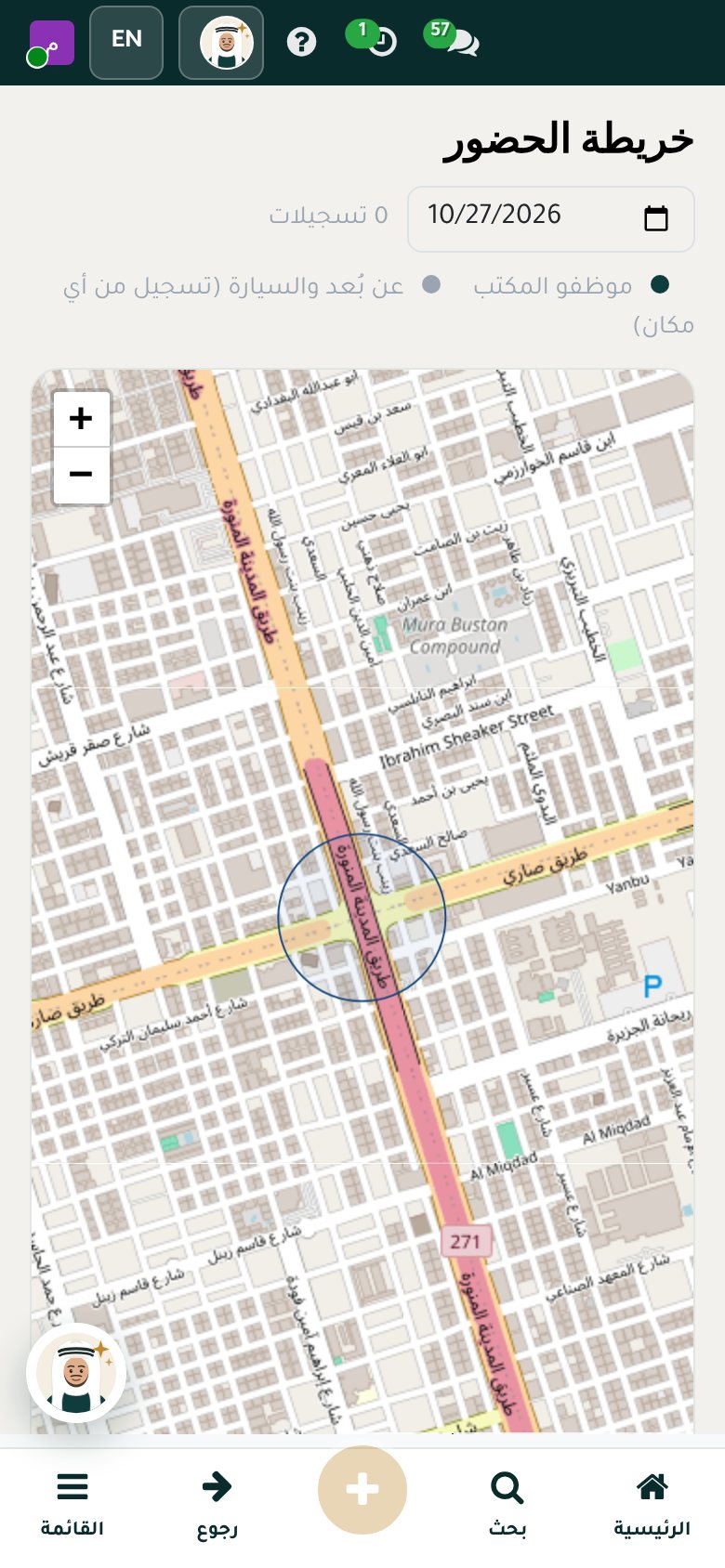
Attendance map
All of the day's check-ins and check-outs on the map, with a link for each point.
Shifts and exceptions
Shifts, lateness and exceptions, with an approval cycle.
Employee self-service
The employee portal on their phone, installed as an app
Attendance
Check in with location and biometrics in one tap.
Time off
Request, cancel and track the balance.
Payslips
View and download every payslip.
Advances
Request an advance and track its installments.
Letters
Request a letter and download it after approval.
Visas and tickets
Request an exit and re-entry visa or a travel ticket.
Documents
Upload and update documents.
Personal profile
View your details and request changes.
Manager approvals
Managers approve their team's requests from their phone.
Employee expenses from the phone
From a photo of the receipt to the accounting entry in four steps, for staff and volunteers.
- Snap the receiptThe employee or volunteer photographs the receipt from self-service on their phone.
- Automatic fillFrom the barcode: amount, date, shop and VAT, and the system learns the category from past expenses. With the OCR add-on, a receipt with several categories is split, such as a hotel: room and dinner.
- Approval cycleReady and adjustable up to 3 or 4 levels: the direct manager, then the finance manager, then the executive director for amounts above SAR 5,000.
- Accounting entryAn entry to the expense account with recoverable input VAT, and an amount due to the employee or volunteer that is paid directly.
Endowments
Managing endowments, their properties and income
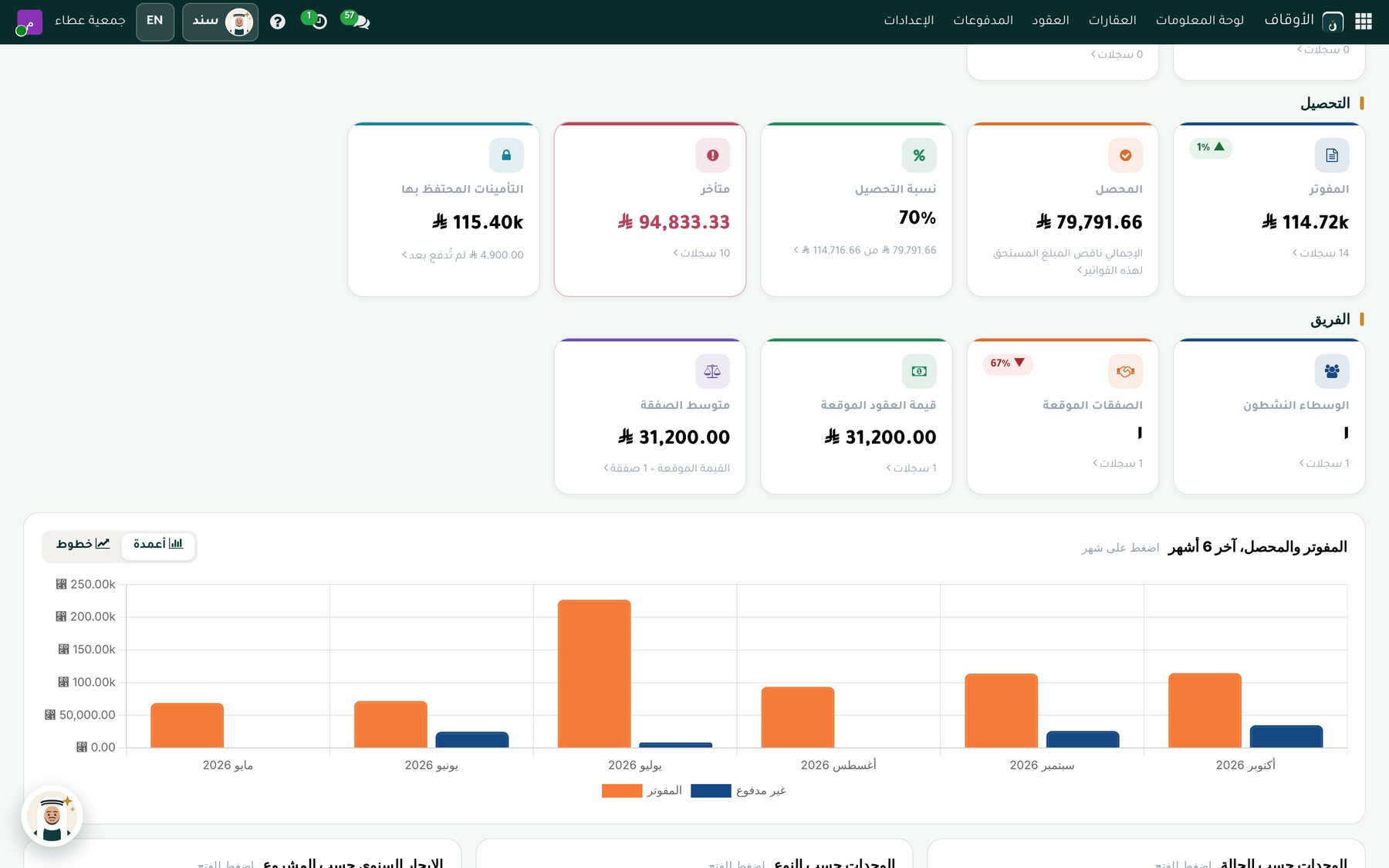
Endowment details
Family, charitable or mixed; the deed number and date; the founder, the trustee and the founder's conditions.
Properties and units
Every property, its units and contracts in one place.
Leases
Payment schedules and automatic rent invoices with VAT and deposits.
Endowment income where it belongs
Each property's income is recorded in its own endowment fund and appears alongside the campaigns, without separate books.
Dashboard and reports
An endowments dashboard, with income and contract reports.
Volunteers
From skills to opportunities to certificates of appreciation
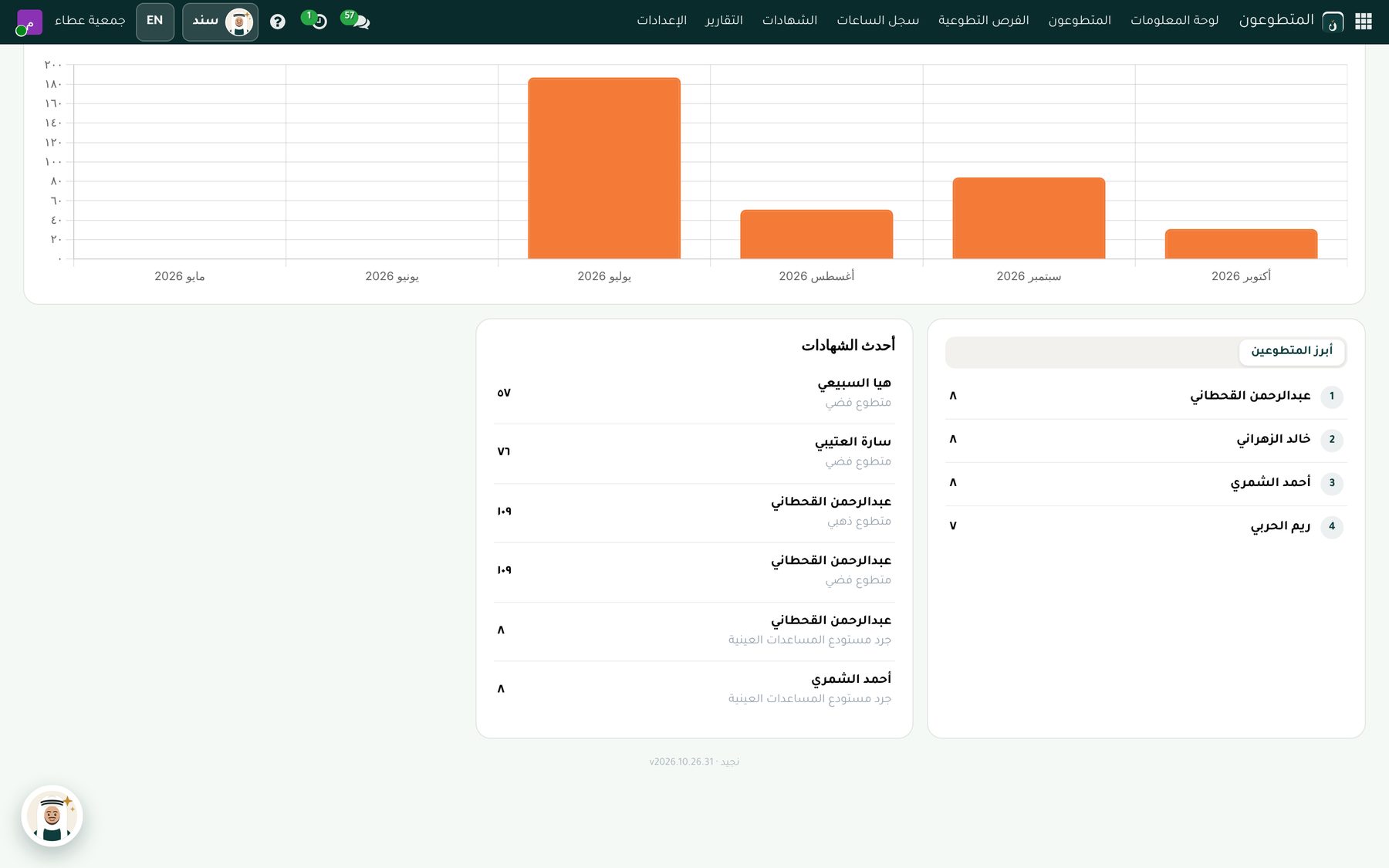
Skills database
Each volunteer's skills and availability.
Volunteer opportunities
The task, place and number needed, with suggested volunteers.
Hours log
Each volunteer's hours, approved by the coordinator.
Badges
Bronze, Silver, Gold and Platinum, based on approved hours.
Certificates of appreciation
In Arabic and English, sent to the volunteer automatically.
Dashboard and reports
Hours, volunteers and opportunities on one dashboard.
HR and payroll
Built on the Saudi Labor Law
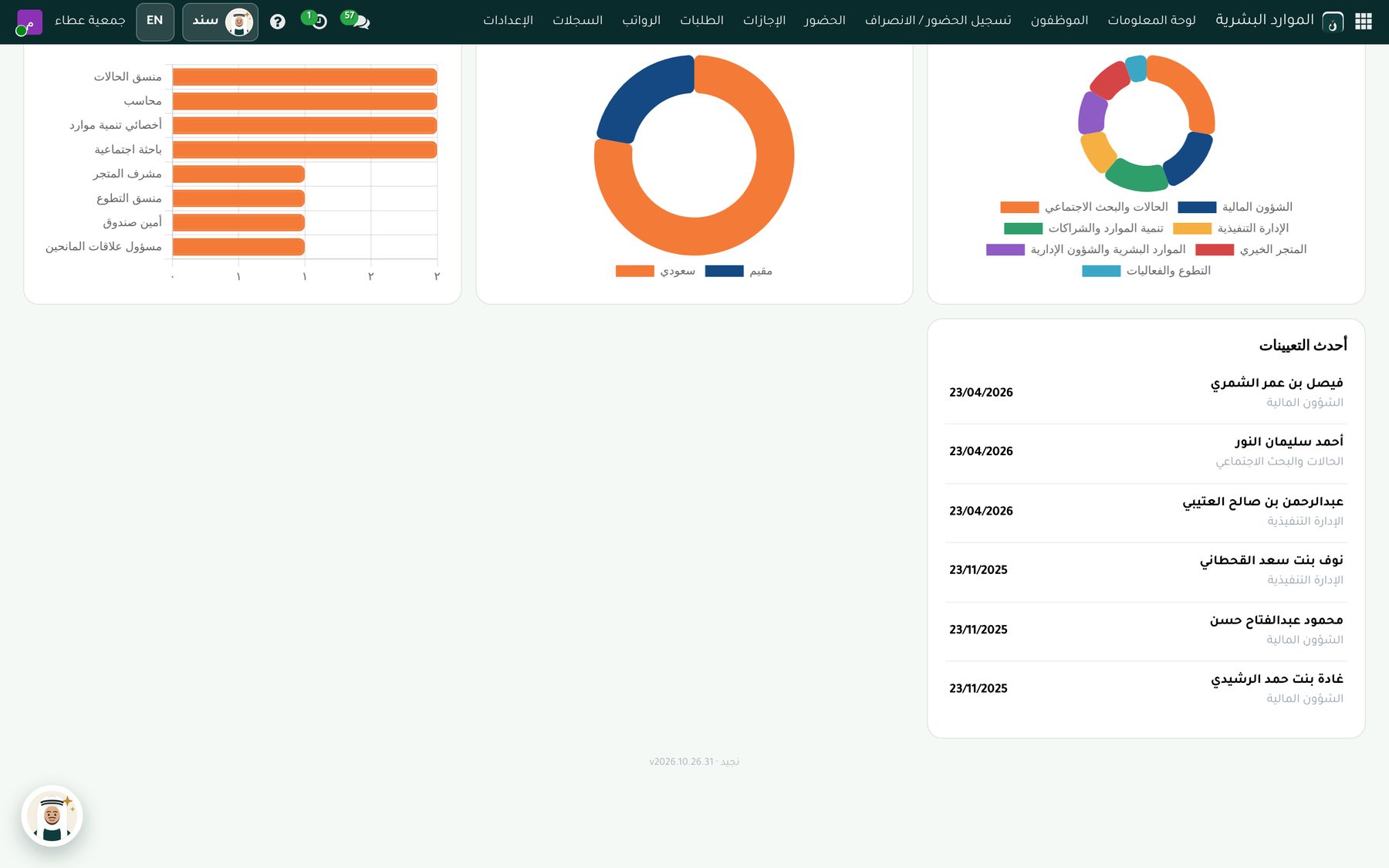
Employee file
Documents, dependants, insurance, visas, letters and penalties.
Geofenced attendance
Check-in from the phone with face or fingerprint, accepted only inside the geofence set for each work site, with shifts.
Time off
Balances, requests and approval.
Payroll
Payroll runs, advances and salary components without programming, with the accounting entries.
Saudi requirements
GOSI and end of service in one click, the Wage Protection System, Saudization and overtime.
Self-service
Employees request leave or a letter and see their payslip from their phone.
Integrations
One place for every integration with outside parties
Send documents and messages, with replies appearing in the donor's record.
SMS
Through Taqnyat, Unifonic or Msegat, with your own account and a message log.
Telegram
A dedicated bot that sends documents and receives replies.
Paymob
Online card payments, available to everyone.
Other payment gateways
Amazon Payment Services, Stripe and PayPal on request.
Online stores
Salla, Zid and Shopify integration: orders come in and stock updates automatically.
The platform
Fast, secure and ready from day one
Mobile app
Installs as an app with notifications and touch-friendly screens.
Fully Arabic
Menus, screens and printouts in Arabic, and English in one click.
Printouts with your identity
Documents with the charity's logo and colors.
Independent data
Every charity has its own system and database, shared with no one else.
Daily backup
A copy of the data and files every day, with the option to restore.
Precise permissions
Every user sees only what concerns them, based on their role.
See Najeed running on data like your charity's.
We show you only the modules that matter to you, and answer your team's questions.