A purchase order goes out by email, a change is agreed with the supplier over the phone, and then the goods arrive late or short, with a supplier bill that doesn't match what was ordered. The accountant spends a day reconciling, and the manager asks a simple question: how much did we buy this month, and from whom? A good purchasing system closes that loop in one orderly flow, from the request for quotation to paying the supplier. In this article we explain how purchasing and suppliers are managed in Subra.
Where do purchasing teams lose control?
The problem is rarely the buying itself. It's the follow-up. A few patterns show up again and again:
- Scattered quotations: prices are requested from several suppliers, but the comparison lives in emails and chats that nothing ties together.
- Purchase orders nobody chases: the delivery date passes and no one asks about the goods.
- Manual matching: the supplier bill is compared with the order and the receipt on paper, so differences surface late.
- No big picture: the manager can't see who the largest suppliers are or how spending is spread.
The flow in Subra: quotation, order, receipt, bill
In the purchasing and inventory module, the flow starts with a request for quotation sent to suppliers, then becomes a purchase order on a bilingual template. When the goods arrive, you record the receipt, and then the supplier bill is matched against the order, so a bill that doesn't match what was ordered and received doesn't get paid by accident.
Because every stock movement in Subra carries the right accounting entry, the receipt and the supplier bill flow into accounting without double entry. The accountant doesn't retype what purchasing already recorded.
The purchasing dashboard: who we buy from and what we're waiting for
Subra includes a purchasing dashboard that brings the picture together on one screen. This is a real screen from the demo system:
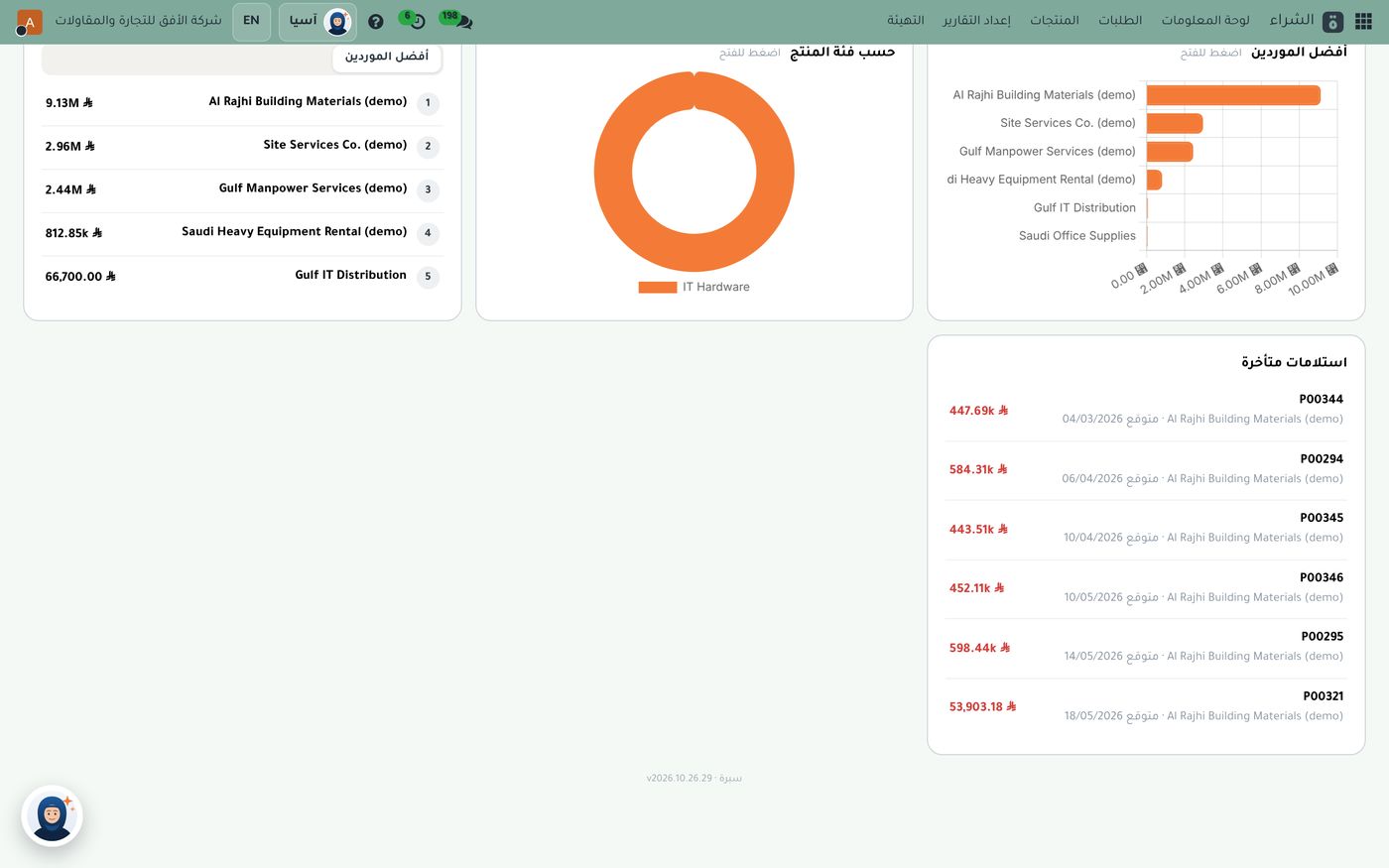
The screen shows several things a purchasing lead and a manager care about:
- Top suppliers: a list ranked by purchase value, with a bar chart beside it. In this demo data one supplier leads the rest by a wide margin, the kind of picture that helps you negotiate, or decide whether to widen your sources.
- Purchases by product category: a doughnut chart showing which category takes the biggest share of your spending.
- Late receipts: a list of purchase order numbers, the value of each order, the expected receipt date and the supplier.
That last list is where a purchasing lead starts the day. An order past its date with nothing received means missing stock, a project waiting and a supplier to call. Instead of finding out when a customer asks, you see it in a list you're asked about every morning. To connect this with stock levels, read our article on reorder levels and stock value.
Supplier bills: faster, with fewer errors
Typing supplier bills by hand is the most repetitive job in purchasing. That's why Subra offers two ways to read them automatically:
- Invoice barcode reading: you upload the supplier's bill (PDF or image) and the system reads the ZATCA barcode, pulling the supplier and tax number, date, total and tax, then creates a draft bill ready for your review. If the supplier is new, it's added with its tax number.
- Full invoice reading (OCR): it reads every line with quantities and prices, in Arabic and English, several bills in one batch, and warns you if the total doesn't match the sum of the lines.
In both cases the bill stays a draft until you review it, so the system saves typing without taking the decision out of your hands.
When do supplier bills get paid?
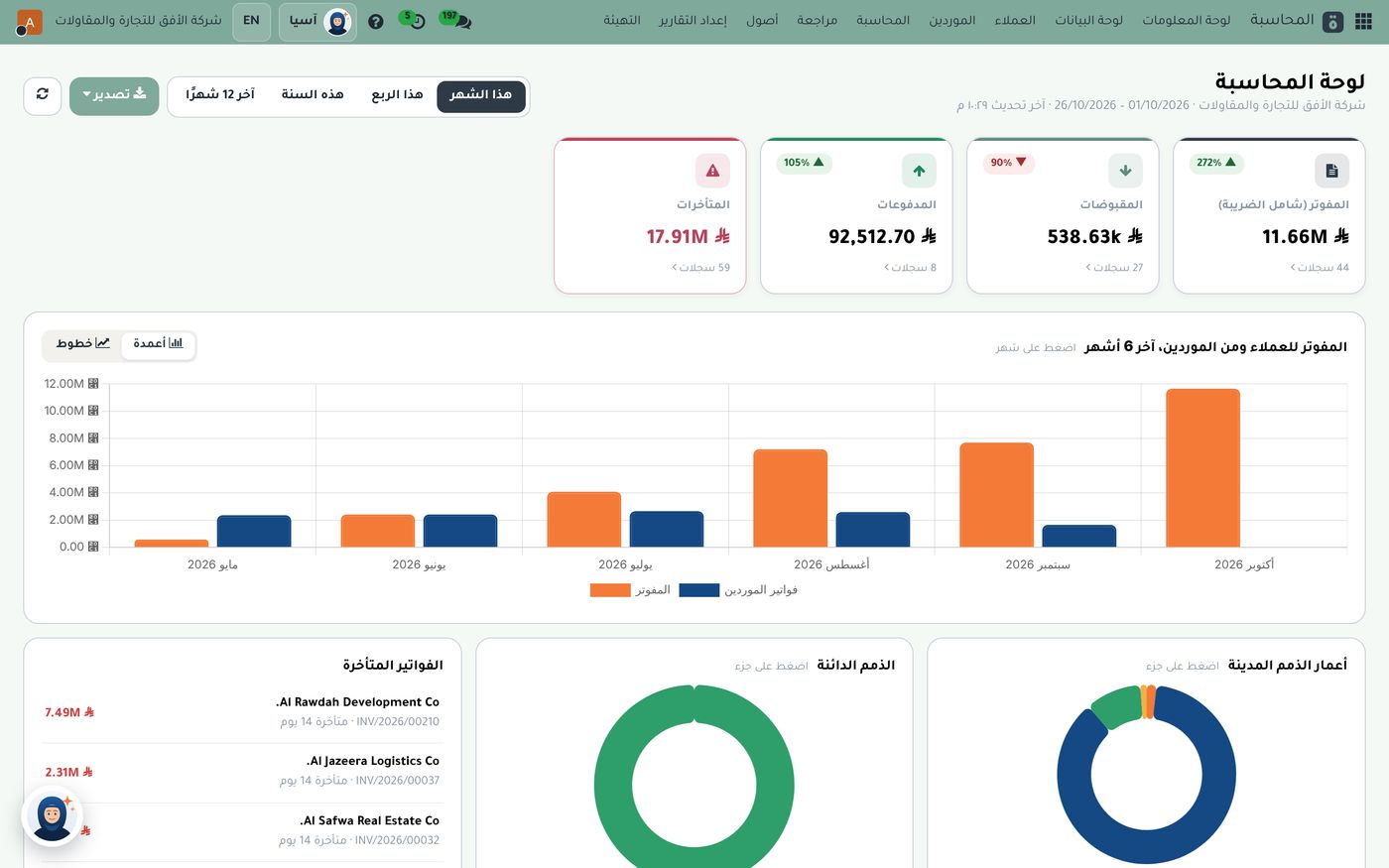
Good purchasing ends with payment on time. The accounting screen gives you a list of bills due within 14 days, with each bill's number, due date and amount:
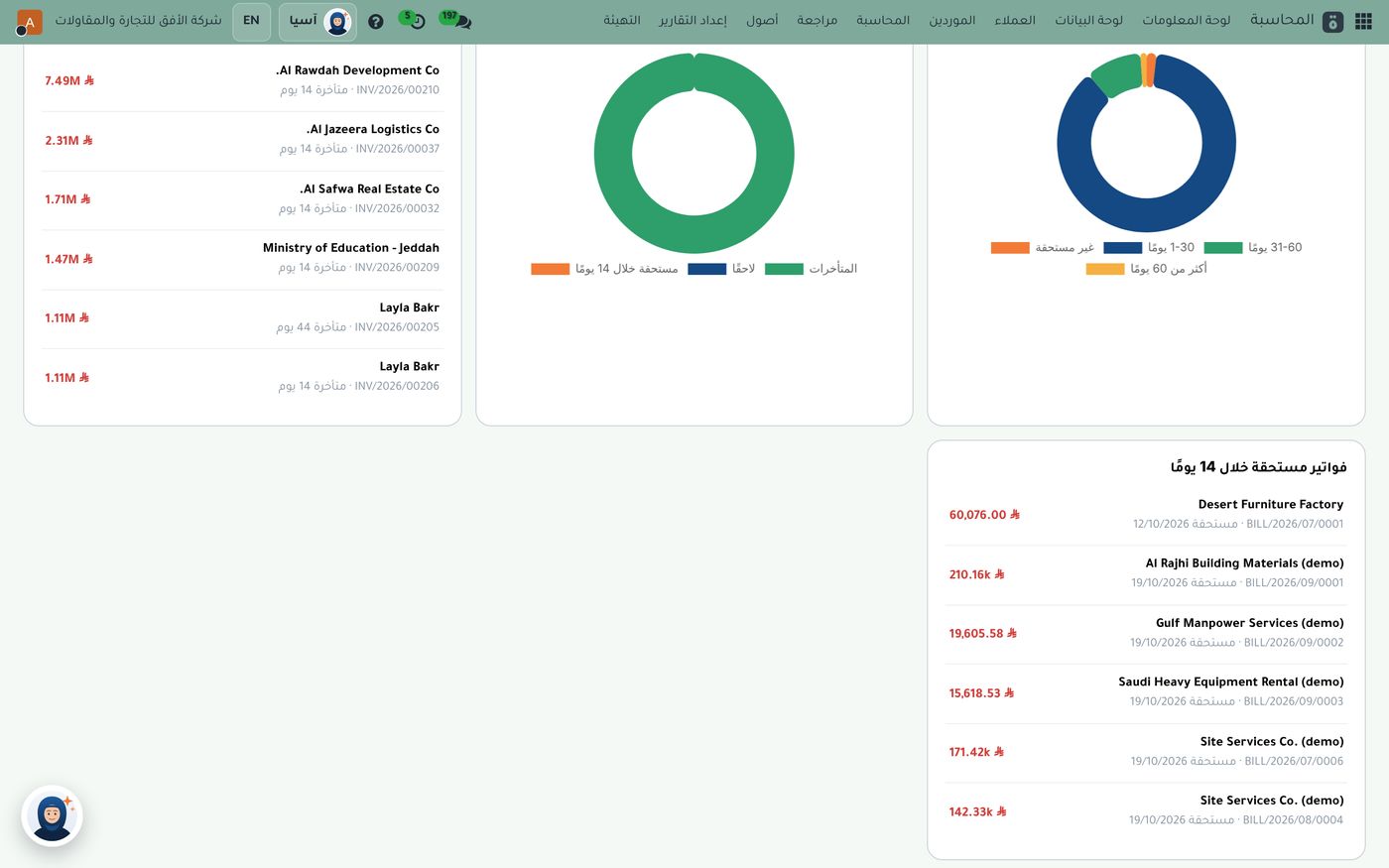
This list helps you schedule payments before they go overdue, and protects your relationship with the suppliers you depend on. The same module includes aging reports for customer and supplier balances by period, so what you owe and what you're owed sit in one place. And for VAT returns, Subra provides detailed sales and purchase reports ready for review.
A weekly purchasing routine
You don't need a complicated process to get purchasing under control. A short routine is enough:
- Ask more than one supplier for a quotation on every important item before issuing the order.
- Open the purchasing dashboard and review late receipts, calling each late supplier.
- Match the supplier bill with the order and the receipt before paying.
- Review bills due over the next two weeks and schedule payment.
- Look at your top suppliers and ask: do we depend on one supplier more than we should?
Asia, the business's private AI assistant, can also answer your team's questions about using the system.
Summary
Organized purchasing starts with a clear request for quotation, moves through a bilingual purchase order and a recorded receipt, and ends with a supplier bill that's matched before it's paid. With a dashboard showing top suppliers and late receipts, and accounting that updates automatically with every movement, the question "how much did we buy, and from whom?" is answered on one screen. If you'd like to see it on demo data, the Role8 team will be glad to walk you through it.
Try Purchasing and inventory in Subra
Try Subra with demo data, or contact us and we'll set up the system for you.